

How to Get Access to My Purchased Course Membership?

Navigating Your Membership: A Step-by-Step Guide to Accessing Your Purchased Course.
Congratulations on purchasing a membership!
Welcome to the Choose, Change & Become Membership!
In this article, we will walk you through the process of accessing your course materials and navigating the membership area.
Discover how to make the most of your membership and take your learning journey to new heights.
Introduction:
Welcome to our comprehensive guide on accessing your purchased course membership! We understand the excitement and anticipation that comes with embarking on a new learning journey.
Let's dive in!
Step 1:
Check Your Inbox for the Purchase Confirmation Email
After completing your purchase, keep an eye on your inbox for a confirmation email.
You will receive confirmation emails from the official id of Phani Nirola which is from Admin - PhaniNirola. ([email protected]), Below is an example screenshot of what the email might look like:🔽🔽🔽
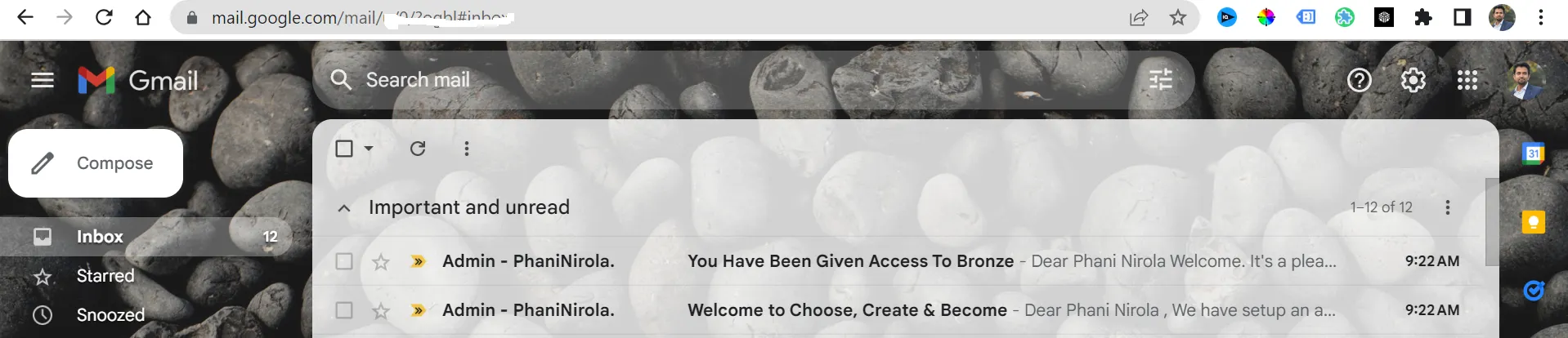
You will receive 2-3 emails in your registered email address, the registered email address refers to the email which you mentioned at the time of making the payment.
These emails will contain important details regarding your membership, including login credentials, access links, and instructions on how to proceed.
IMPORTANT: Though you'll receive these confirmation emails immediately right after your successful payment but in case if you don't receive it after your payment then please allow 15-20 minutes and consider checking your SPAM or PROMOTIONAL folder before your report to our support team.
Step 2:
Open Your email with the subject - Welcome to Choose, Create & Become Membership
Once you locate your confirmation email, open that email where you find your login details. This email shares the confirmation of the setup of your account on the membership site, where your login details are mentioned.
Below is an example screenshot of what the email might look like:🔽🔽🔽
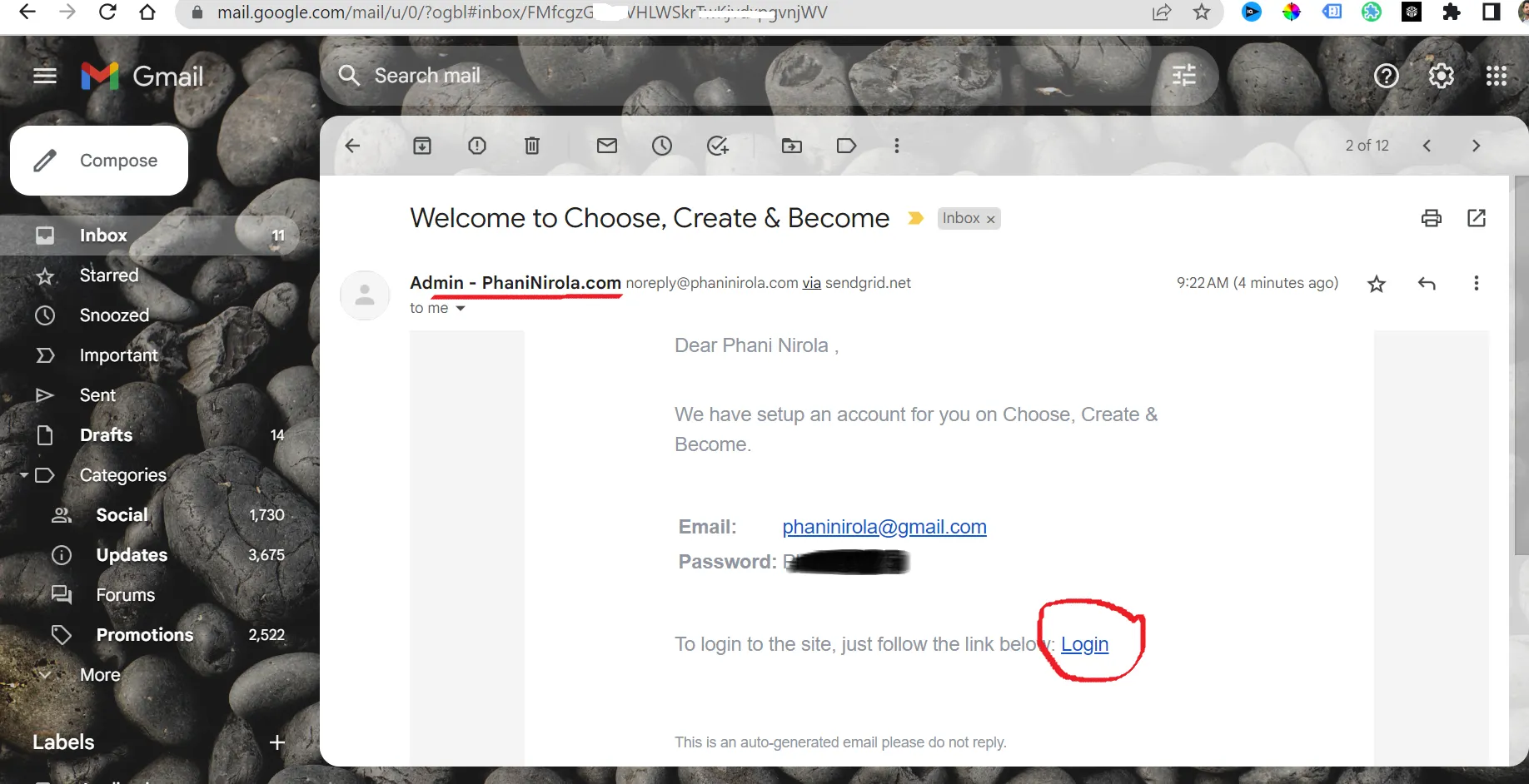
Use this email and your password to access the membership site.
Step 3:
Locate Your Membership Login Page
Once you have your login credentials, it's time to access the membership area. Open your preferred web browser and enter the URL (https://learn.phaninirola.com) or simply click on the LINK provided in the confirmation email and use your provided login id (login id is your registered email address) and password.
This will typically lead you to the membership login page. Enter your username and password, and click on the "Login" button to proceed.
Below is an example screenshot of what the email might look like:🔽🔽🔽
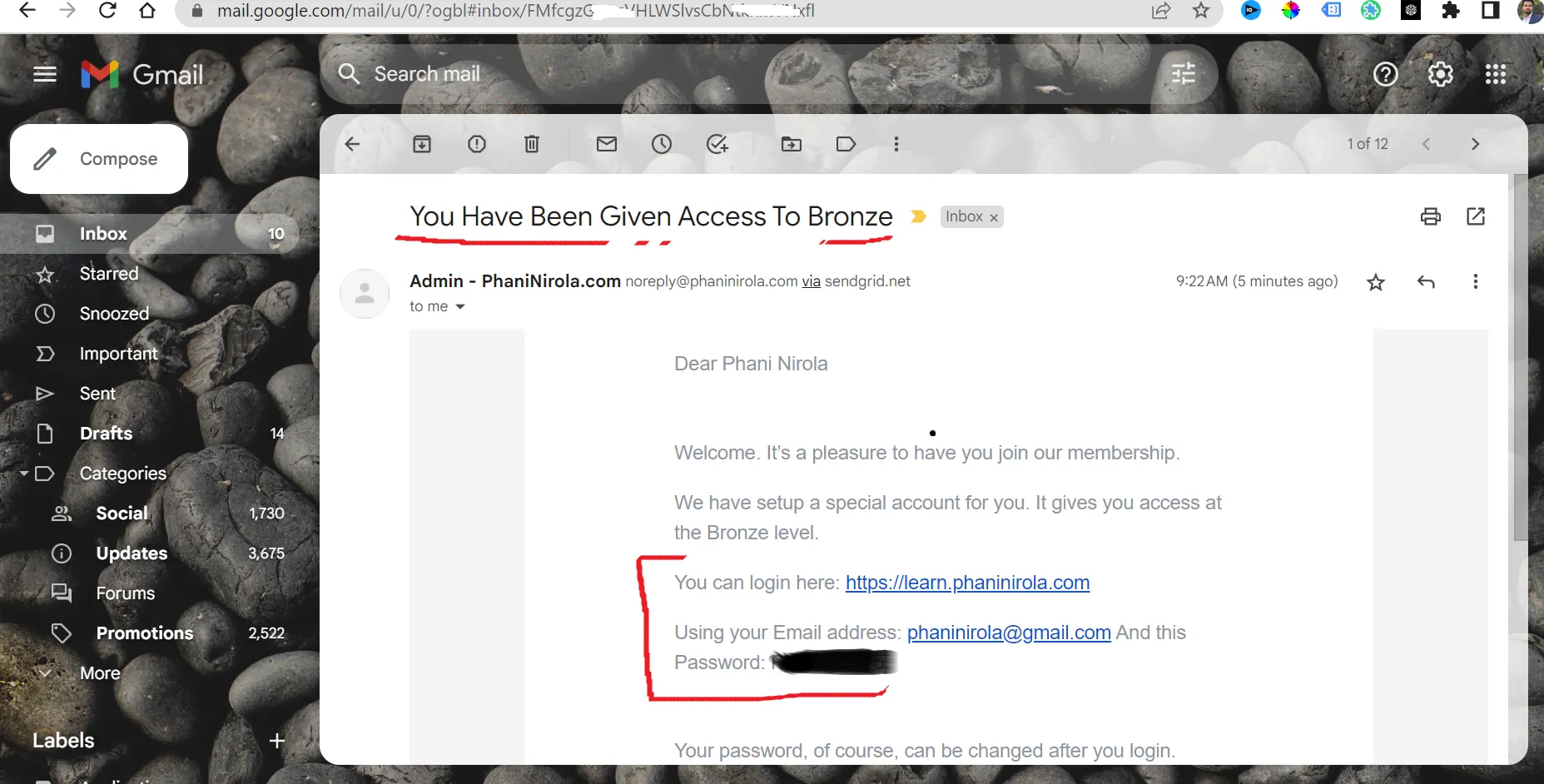
Note: Consider checking your Membership level, the second email contains that information with the subject line (You Have Been Given Access to the Bronze) refer to the 👆👆 image.
Step 3:
Explore the Membership Dashboard
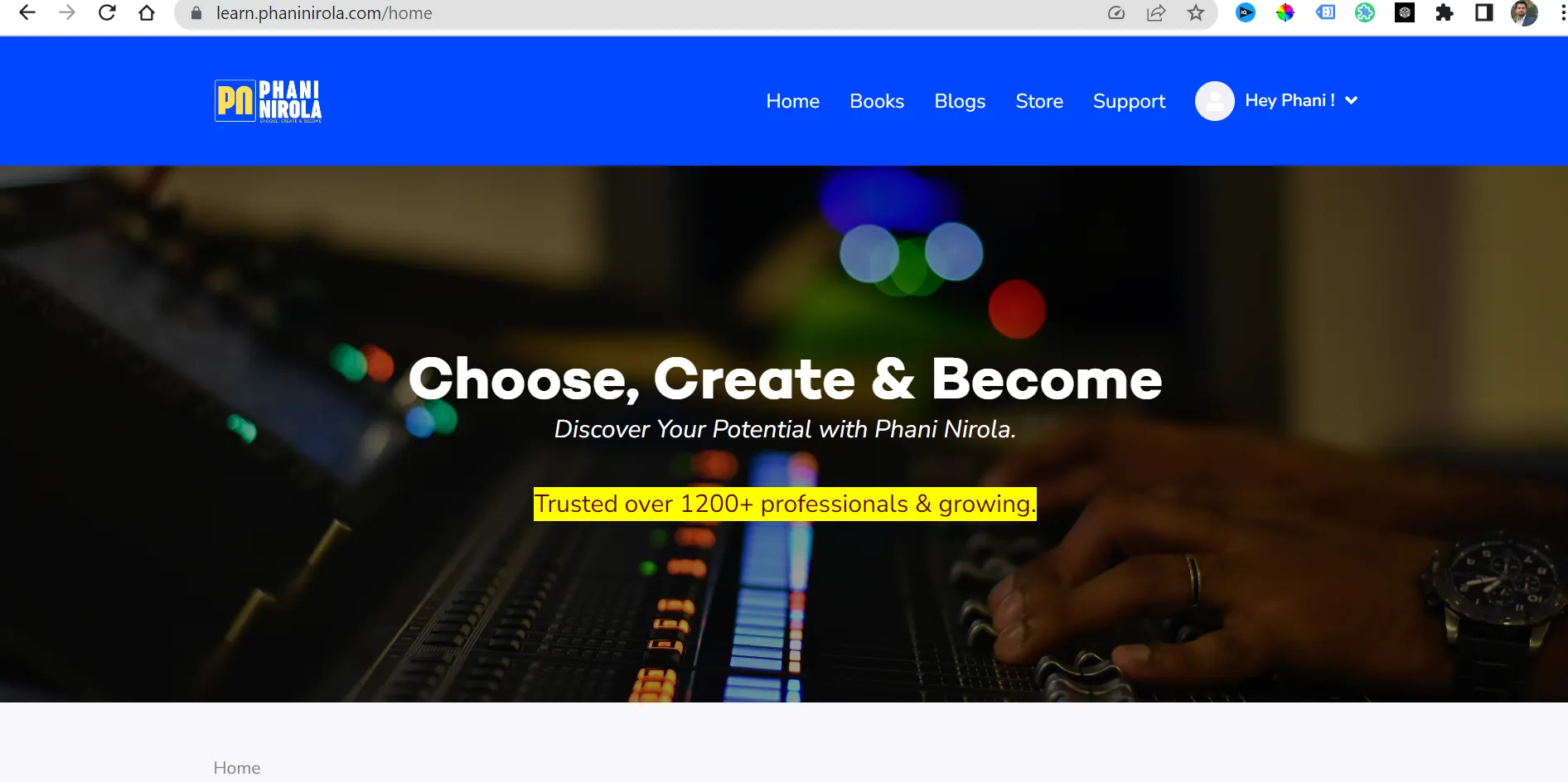
Upon successful login, you will be redirected to the membership dashboard. This is where you can access all the resources and materials associated with your purchased course.
Take a moment to familiarize yourself with the layout and navigation options available.
Here, you may find all the courses, modules, lessons, video tutorials, downloadable files, and additional resources to enhance your learning experience.
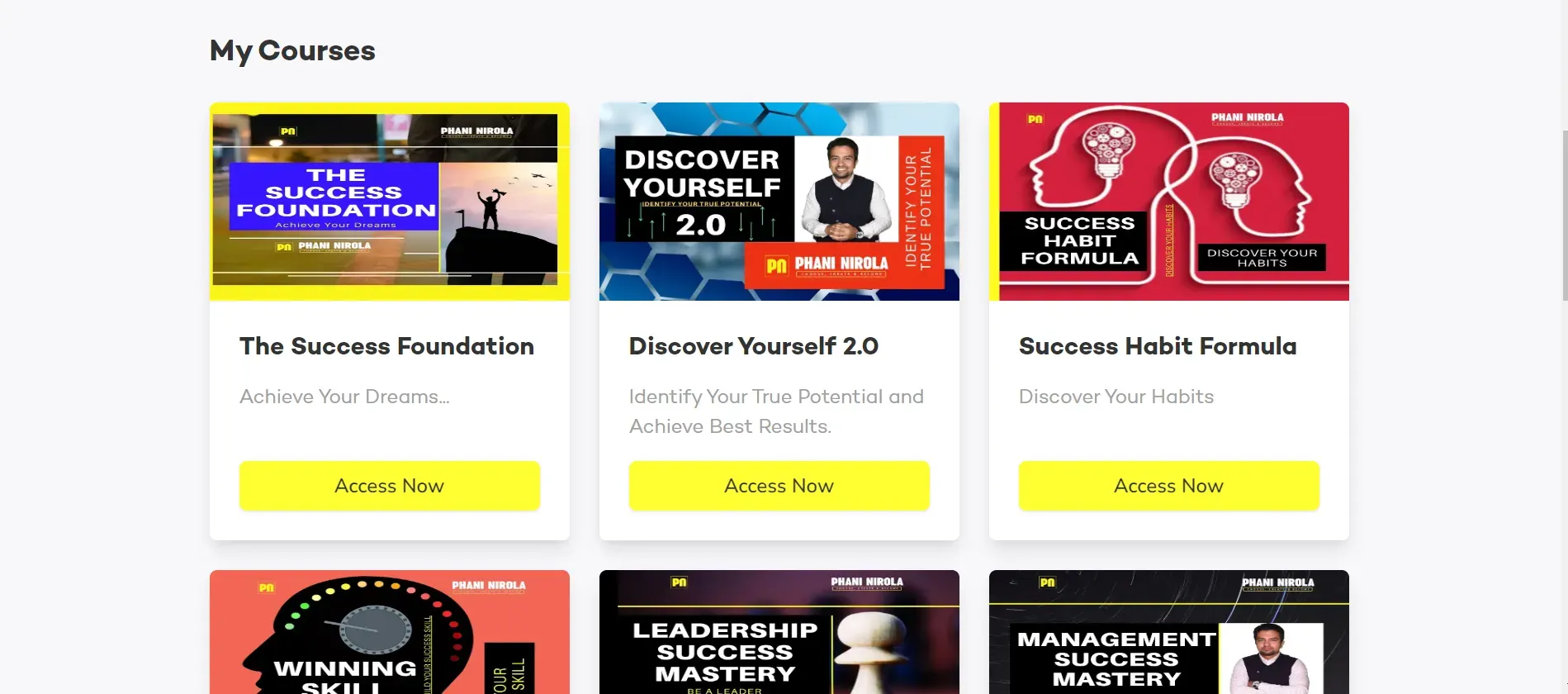
Below is a screenshot of how the Choose, Create & Become Membership home page looks:🔽🔽🔽
Step 4:
Accessing Your Course Materials
Once you're inside the membership area, locate the specific course you have purchased. Click on the course name or associated link to access its materials.
You'll have access to the courses as per your membership. Consider clicking the button Access Now to start your learning.
Depending on the structure of the course, you may find different levels, modules, or sections. Click on the relevant section to begin your learning journey.
Step 5:
Engage with the Course Content
Now that you have accessed the course materials, it's time to engage with the content.
Read through the lessons, watch the video tutorials, and complete any assigned tasks or quizzes.
Take advantage of any interactive features or discussion forums available to connect with fellow learners and instructors.
Step 6:
Leverage Additional Membership Benefits
In addition to the course materials, your membership might provide you with extra benefits. These could include exclusive webinars, live Q&A sessions, downloadable resources, or access to a community of like-minded learners.
Make sure to explore these additional offerings to enhance your learning experience further.
Conclusion:
Congratulations on successfully accessing your purchased course membership! By following this step-by-step guide, you can now navigate the membership area with ease and make the most of your learning experience.
Remember to explore all the available resources, engage with the course content, and leverage any additional benefits provided with your membership.
We wish you an enriching and rewarding journey as you unlock new knowledge and skills.
Happy learning!
If you are not part of the CCB Community then join today to unlock the doors to knowledge and growth.
Join our vibrant community of learners by becoming a member today!
Click Here to Start Your Journey
Gain access to our exclusive courses, resources, and expert guidance to take your skills to the next level.
Don't miss out on this opportunity to invest in yourself. Sign up now and embark on a rewarding learning journey!
